
How to install Spreadsheet Gorilla for monday.com
In this quick guide you will learn how to
add the app to your monday.com account.

In this quick guide you will learn how to
add the app to your monday.com account.
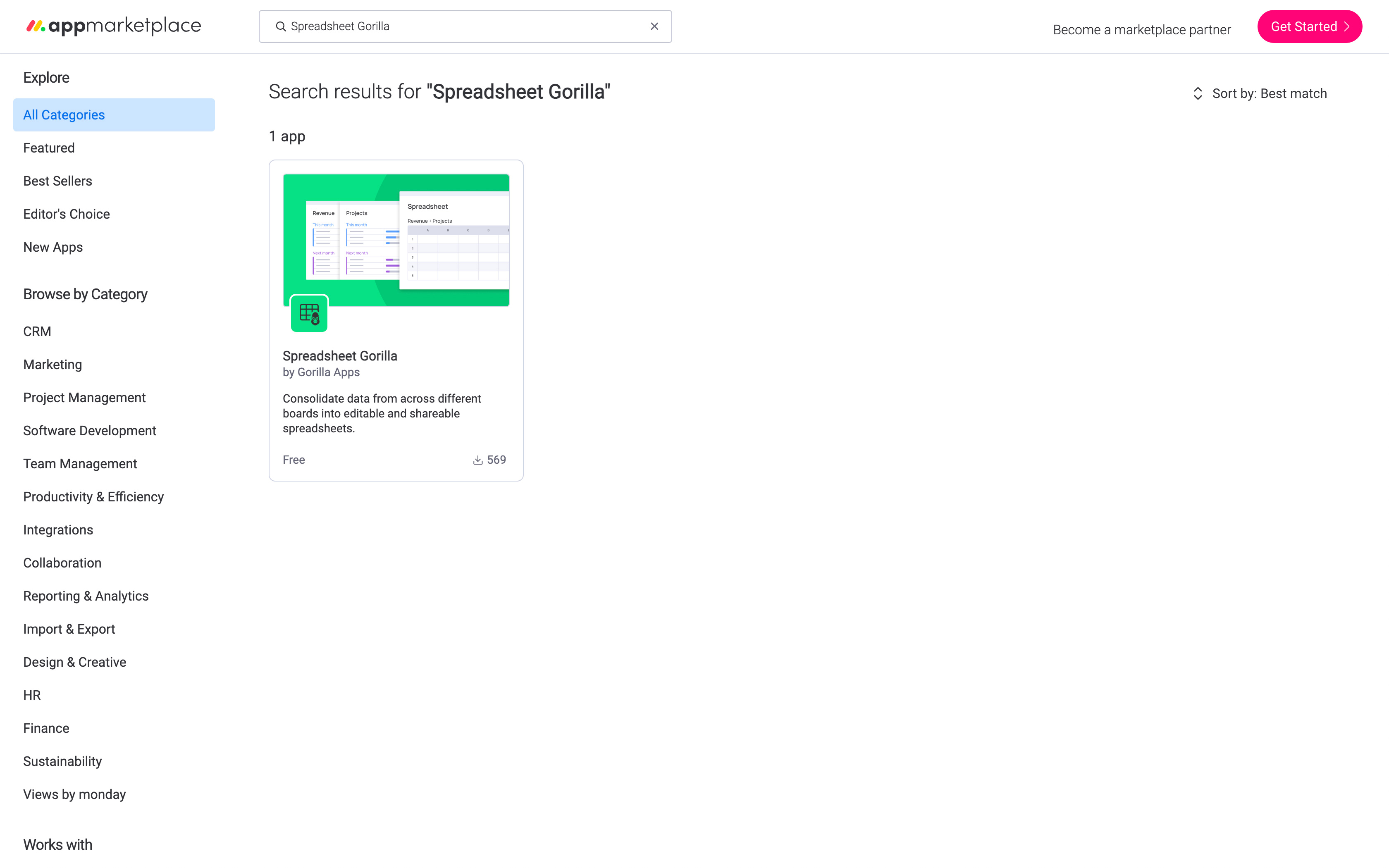
Step 1
Head over to monday.com's marketplace, either directly or from within monday.com, and search for Spreadsheet Gorilla. Click on the shown app listing to proceed to the apps detail page.
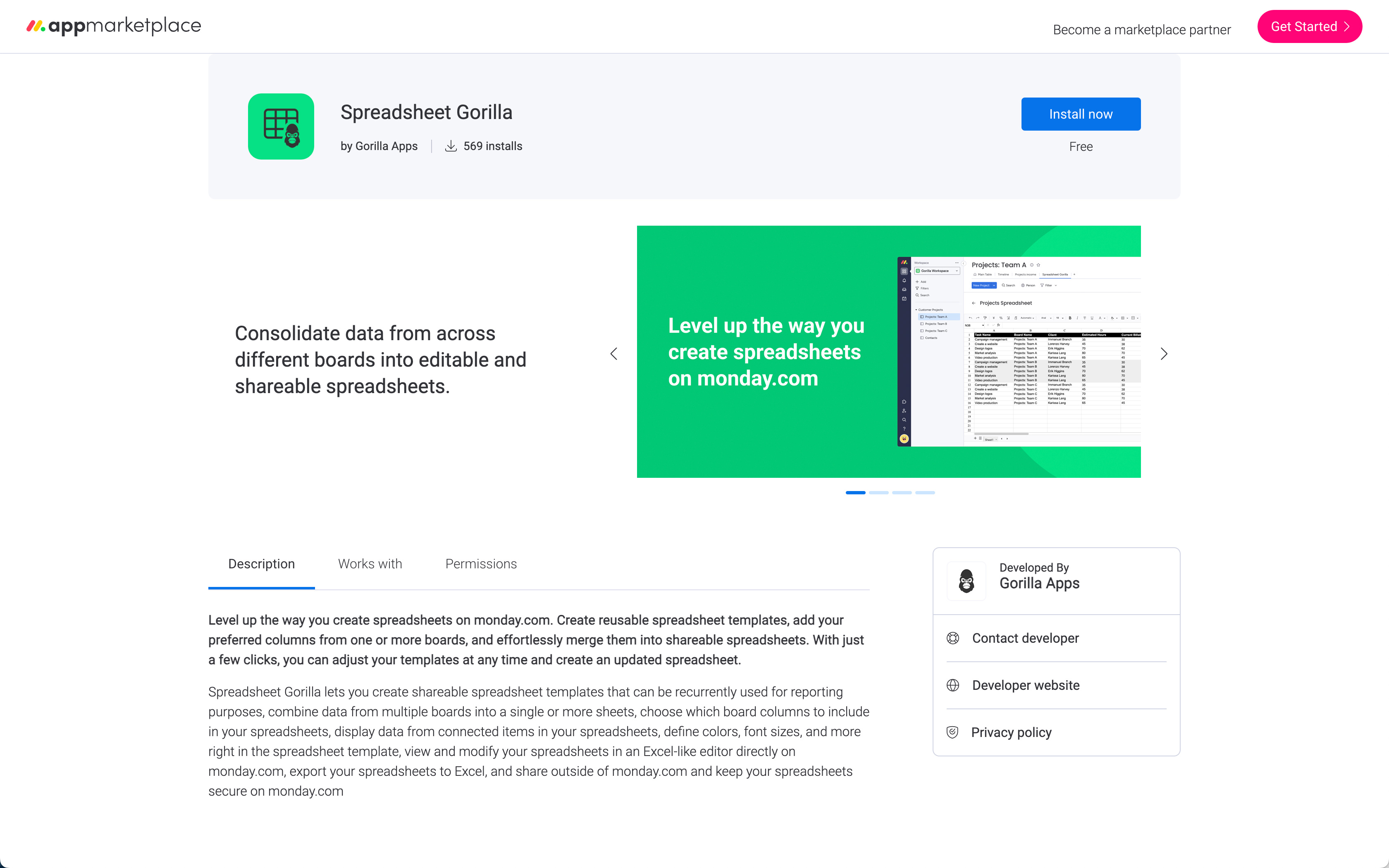
Step 2
Learn more about the app by taking a look at the gallery images, the description text, and the necessary permissions. Once you're done, just click the Install button at the top right to proceed further.
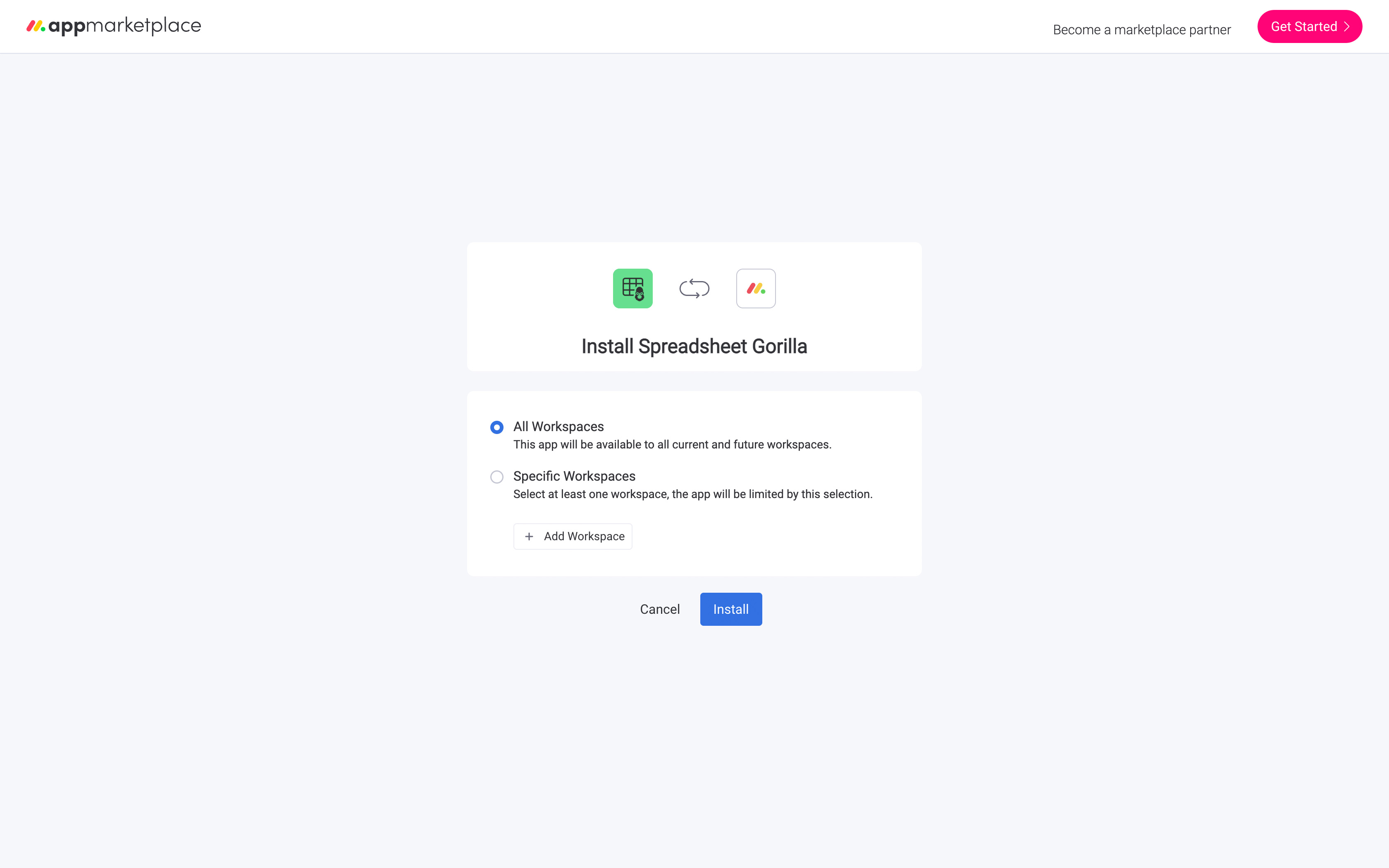
Step 3
Make sure you have the proper permissions to install the app, if not please contact your monday.com administrator. Click the Install button to add Spreadsheet Gorilla for monday.com to your account.